Overview
Feedock has two programmatic surfaces. The MCP server (@feedock/mcp) exposes your workspace to AI agents (Claude, Cursor, Codex, or any MCP client) as tools that drive the whole loop: triage feedback, plan the roadmap, move tasks, and draft changelog entries. The public REST API is the engine behind the hosted portal, the React SDK, and the embeddable widget, and the same endpoints are open for your own integrations.
To put Feedock in front of your users, there are three ready-made surfaces, covered under Integrations below: the hosted portal (zero code), the React SDK (components in your app), and the embeddable widget (one script tag on any site).
Both surfaces are project-bound and public-safe by construction: the MCP server only ever sees sanitized data for the one project its token belongs to, and the REST read models physically cannot carry internal fields. Private items, drafts, emails, and internal notes never leave the API.
Authentication
The MCP server authenticates with a Personal Access Token (fdk_pat_…). Generate one in Settings → API tokens; it acts as your team member, is revocable at any time, and the full secret is shown once at creation.
Tokens are per-project: a PAT only ever sees the project it was generated for. The MCP server never accepts a project id as an argument; tenancy always comes from the token.
The REST API's read endpoints need no authentication. Write endpoints act on behalf of your end users, who stay account-less: they verify once via a magic link (or your app vouches for them over SSO) and receive a short-lived, project-bound visitor token sent as a Bearer header (see Write endpoints below).
MCP server setup
The server runs over stdio and is configured entirely by two environment variables: FEEDOCK_API_URL (your API origin) and FEEDOCK_API_TOKEN (the PAT from above).
Cursor / Claude Desktop
Add the server to your mcpServers JSON, then restart the app so it reconnects MCP servers:
{
  "mcpServers": {
    "feedock-your-project": {
      "command": "npx",
      "args": ["-y", "@feedock/mcp"],
      "env": {
        "FEEDOCK_API_URL": "https://api.feedock.com",
        "FEEDOCK_API_TOKEN": "fdk_pat_..."
      }
    }
  }
}
Claude Code
One command, then restart Claude Code:
claude mcp add feedock-your-project \
  -e FEEDOCK_API_URL=https://api.feedock.com \
  -e FEEDOCK_API_TOKEN=fdk_pat_... \
  -- npx -y @feedock/mcp
Codex
If your Codex client uses the mcpServers JSON config, add the same block as above, restart, and confirm the feedock_* tools appear.
MCP tools
Every tool is scoped to the token's project, respects the token holder's role, and returns sanitized, public-safe data. Reads are free-form; writes are marked below, and the two confirm-to-run tools (merge, publish) refuse to act until the agent passes an explicit confirmation. The model drafts; a human approves before anything ships.
Projects
For all-projects tokens: list what the token can reach, then pick one per session.
feedock_list_projectsreadYour projects, minus any with MCP access turned off. Bound tokens are refused.
feedock_select_projectupdatePoint this session at one project by id or slug; every call is still verified server-side.
Overview
One snapshot of the whole loop, so a model can orient itself first.
feedock_overviewreadThe loop at a glance: open-feedback count, roadmap by lane, active milestones, and recent changelog entries.
Feedback
Triage requests: read the board, move statuses, convert, and merge.
feedock_list_feedbackreadList feedback with status, search, sort, and limit filters.
feedock_get_feedbackreadOne item with its sanitized comment thread.
feedock_update_feedback_statusupdateMove an item through the triage statuses; status events notify the team channels (Owner/Admin).
feedock_convert_feedback_to_roadmapcreatePromote a request onto the public roadmap (Owner/Admin).
feedock_convert_feedback_to_taskcreateTurn a request into an internal task (Owner/Admin).
feedock_add_feedback_commentcreateReply on an item as the token's member.
feedock_merge_feedbackconfirm to runFold a duplicate into a canonical item; votes, follows, and comments move with it. Requires an explicit confirmation step (Owner/Admin).
Roadmap
The public plan: Now / Next / Later / Shipped.
feedock_list_roadmapreadItems by lane, each with its “people asked” rollup and linked milestone.
feedock_create_roadmap_itemcreateAdd an item to a lane, optionally linked to a milestone (Owner/Admin).
feedock_update_roadmap_itemupdateEdit an item's title, description, visibility, target window, or milestone; PUBLIC needs confirm:true (Owner/Admin).
feedock_move_roadmap_itemupdateMove an item between lanes; landing in Shipped reflects back to the linked feedback (Owner/Admin).
Tasks
The execution board: Backlog through Done.
feedock_list_tasksreadFilter by status, priority, search, or assigned-to-me, with a limit.
feedock_get_taskreadFull detail: linked git refs, subtasks, activity log, and the linked roadmap item.
feedock_create_taskcreateCreate a task with priority and optional assignees, labels, a start/due date, milestone, or roadmap link.
feedock_update_taskupdateEdit a task's fields — title, priority, assignees, labels, start/due date, milestone, roadmap link; null clears (empty array clears assignees/labels), omitted stays. Status moves live in the status tool.
feedock_update_task_statusupdateDrive a task across the board columns; Done stamps completedAt.
feedock_delete_taskconfirm to runDelete a task permanently; subtasks move to top level. Needs confirm: true.
Milestones
Planning containers with progress derived from their tasks.
feedock_list_milestonesreadAll milestones with their derived progress percentages.
feedock_get_milestonereadDetail: status, progress, and the linked tasks and roadmap items.
Docs
The workspace's typed docs: PRDs, tech notes, decision logs.
feedock_list_docsreadThe docs list, filterable by type.
feedock_get_docreadOne doc with its body, sanitized before it reaches the model.
feedock_create_doccreateCreate a typed doc, PRIVATE by default. PUBLIC needs confirm: true.
feedock_update_docupdateEdit a doc; the body replaces the whole document. PUBLIC needs confirm: true.
feedock_delete_docconfirm to runDelete a doc and its annotations permanently. Needs confirm: true.
Changelog
Draft, preview, and publish, with a required human confirmation on publish.
feedock_list_changelogreadEntries with their Draft / Review / Published state.
feedock_create_changelog_draftcreateDraft an entry for human review. Never publishes directly (Owner/Admin).
feedock_preview_changelog_publishreadThe publish side-effect summary: how many requesters and subscribers get emailed, which roadmap items move to Shipped.
feedock_publish_changelogconfirm to runPublish an entry after an explicit confirmation step. Emails the people who asked and moves linked roadmap items to Shipped (Owner/Admin).
Public REST API
The thin REST surface that powers all three public integrations: the hosted portal, the React SDK, and the embeddable widget. Every route hangs off your project's slug; CORS is open, so it's callable straight from the browser:
https://api.feedock.com/public/p/:slugRead endpoints
No auth required: they serve whatever the project has made public, and only while the project's portal is enabled (a disabled or unknown slug is a clean 404). Lists are cursor-paginated.
- GET
/configPortal branding + enabled tabs.
- GET
/feedbackPublic feedback list: status filter, Top/New sort, keyset cursor.
- GET
/feedback/:idOne feedback item with its public comments.
- GET
/roadmapThe public roadmap by lane, with “people asked” counts and public milestone progress.
- GET
/updatesThe published changelog feed.
- GET
/updates/:entrySlugOne published entry (the permalink the feed links to).
- GET
/docsPublic docs list.
- GET
/docs/:docSlugOne public doc, body sanitized server-side.
- GET
/attachments/:attIdA public feedback attachment (image).
Write endpoints
Writes come from your end users, who stay account-less: they verify once via a magic link (or your app vouches for them over SSO) and get a short-lived visitor token, sent as a Bearer header. Tokens are bound to one project.
- POST
/identity/startEmail a single-use magic link to verify a visitor.
- POST
/identity/verifyExchange the magic-link token for a visitor JWT (1 h, project-bound).
- POST
/identity/ssoExchange a host-signed user token (your backend signs it with the project's SSO secret). No email round-trip.
- POST
/feedbackSubmit feedback as a verified visitor.
- POST
/feedback/similarSimilar-post lookup shown before submitting a duplicate.
- POST
/feedback/:id/voteUpvote an item, idempotent per verified visitor.
- POST
/feedback/:id/followFollow an item for ship notifications.
- POST
/feedback/:id/unfollowStop following an item.
- POST
/feedback/:id/commentsReply on an item as a verified visitor.
- POST
/feedback/:id/attachmentsAttach an image to your own feedback.
- POST
/subscribeSubscribe an email to updates: double opt-in, explicit consent required.
- POST
/subscribe/confirmConfirm the double-opt-in email.
- GET
/unsubscribeOne-click unsubscribe (the link in every email).
- GET
/preferencesA subscriber's notification preferences.
Rate limits
Write endpoints are rate-limited per verified visitor and IP (fixed windows). Requests over a limit return 429. The magic-link cap is also enforced per email address, so rotating IPs can't be used to spam someone's inbox.
| Action | Limit |
|---|---|
| Identity (magic-link) starts | 5 / 15 min per email |
| Feedback submissions | 10 / hour |
| Votes | 120 / hour |
| Comments | 30 / hour |
| Subscribes | 5 / hour |
Hosted portal
The zero-code option. Every project gets a hosted public portal at feedock.com/p/your-project with the feedback board, roadmap, updates feed, and any public docs as tabs. Enable it in your project settings and share the link; there is nothing to install.
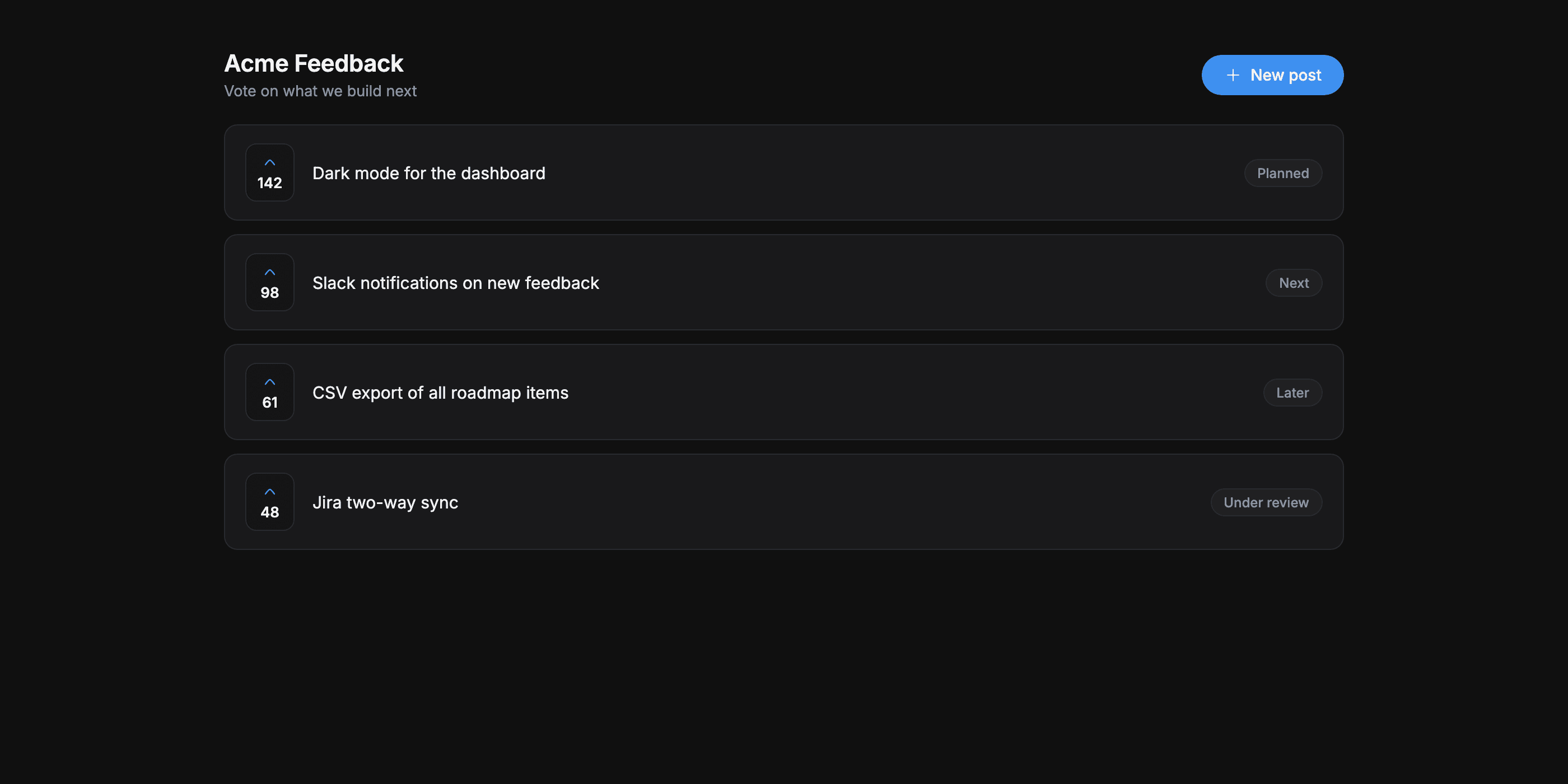
- Account-less for your users: visitors submit, vote, and comment with just an email, verified once by a magic link.
- Subscribable: a Subscribe button collects update emails with double opt-in, and every email carries one-click unsubscribe.
- Yours to brand: your logo and brand color; on paid plans you can remove the Feedock badge and serve the portal from your own domain, like
feedback.yourapp.com. - SEO-ready: the portal ships its own sitemap and an RSS feed of published updates.
React SDK
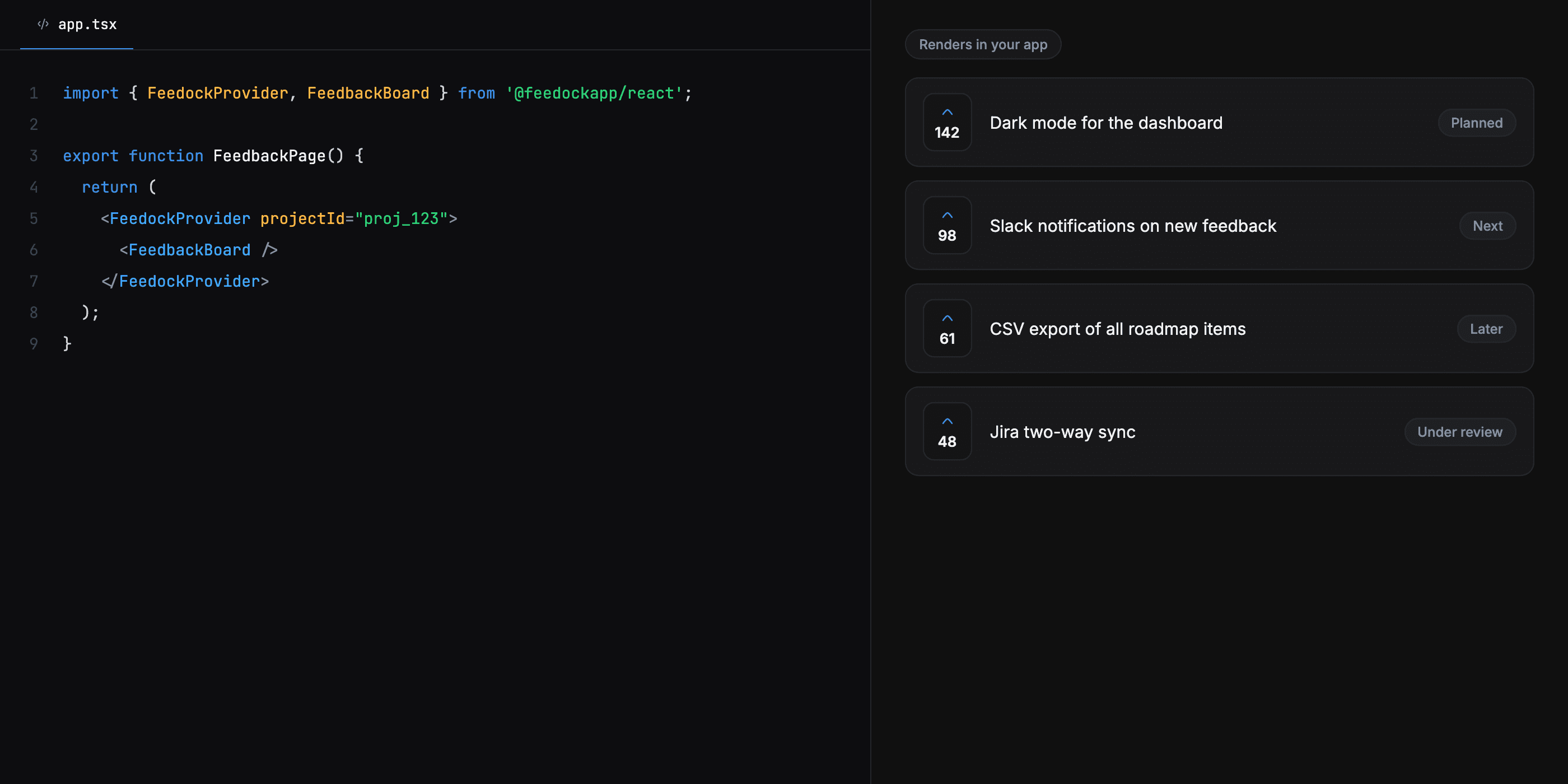
Render the board, roadmap, and changelog inside your own React app with @feedock/react. The components are self-contained (inline styles, no CSS import, no Tailwind dependency) and talk to the public API directly from the browser. Install @feedock/react and wrap the part of your app that shows Feedock:
import { FeedockProvider, FeedbackBoard } from "@feedock/react";

export function FeedbackPage() {
  return (
    <FeedockProvider projectSlug="your-project">
      <FeedbackBoard />
    </FeedockProvider>
  );
}
- Components:
FeedbackBoard,Roadmap,Changelog, andLatestUpdate(a dismissible what's-new toast), all insideFeedockProvider. - Provider props:
projectSlug(required),apiBase,theme(brand color, light/dark), anduserToken. - Skip verification for signed-in users: sign a JWT with your project's SSO secret on your backend and pass it as
userToken; the SDK exchanges it on mount and your user votes without an email round-trip. - Headless option:
FeedockClientand theuseFeedock()hook expose the raw reads and writes if you want your own UI.
Embeddable widget
For sites that aren't React: one script tag renders a floating launcher that opens a tabbed panel (Feedback, Roadmap, What's New). The widget mounts in a Shadow DOM, so its styles can't leak into your page and your page's styles can't break it. When a new update is published, a small toast invites returning visitors to read it.
<script
  src="https://feedock.com/widget.js"
  data-project="your-project"
  async
></script>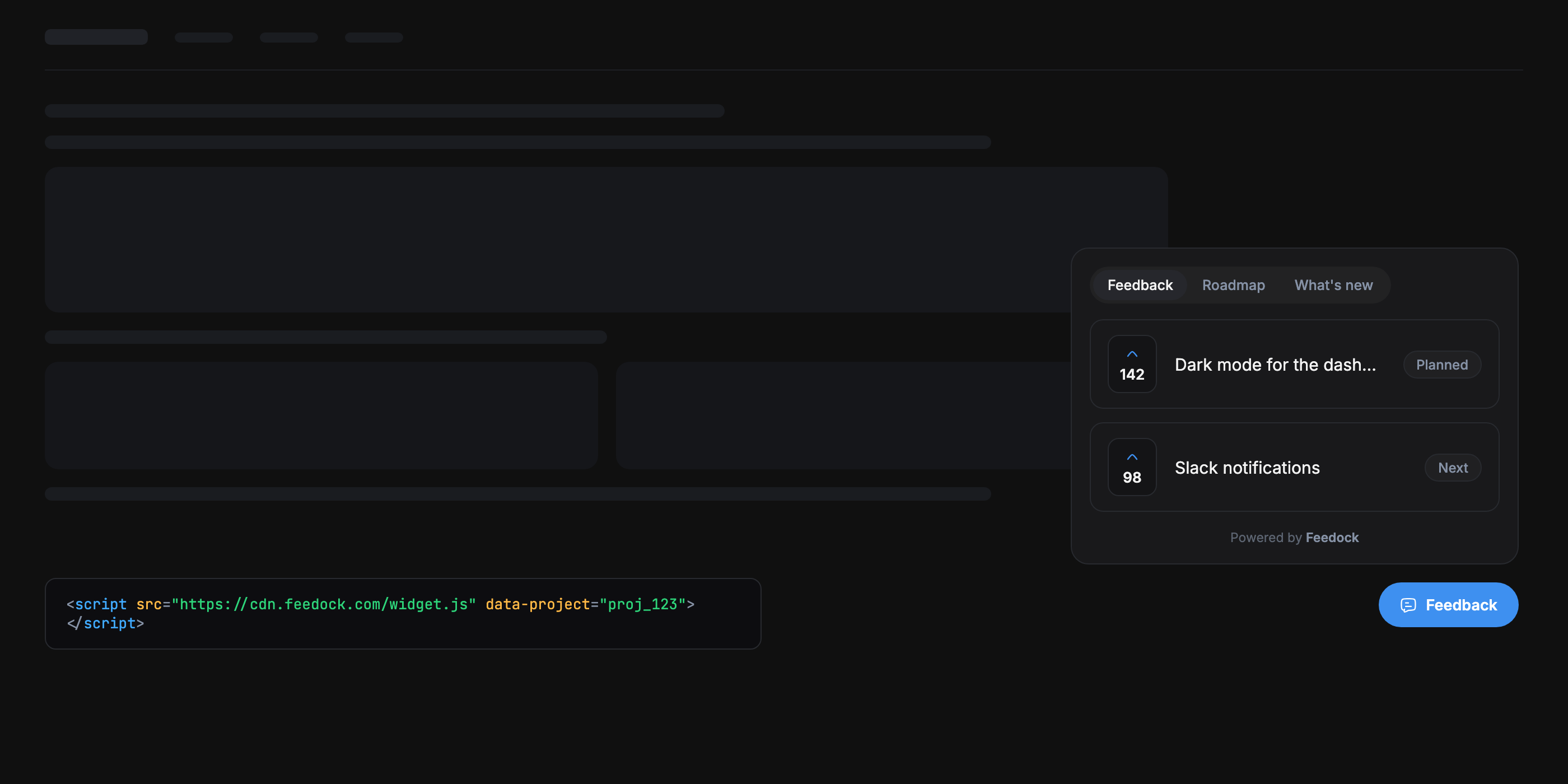
Everything is configured with data-* attributes on the script tag:
| Attribute | Values | What it does |
|---|---|---|
| data-project | required | Your project's public slug. |
| data-tabs | feedback, roadmap, updates | Which panel tabs render, in order. Defaults to all three. |
| data-mode | light · dark · auto | Pin the palette, or let auto follow the project's saved widget theme and the visitor's system preference. |
| data-brand-color | any CSS color | Accent override for light surfaces (and the dark fallback). |
| data-brand-color-dark | any CSS color | Accent override for dark surfaces. |
| data-position | bottom-right · bottom-left | Where the floating launcher sits. |
| data-api-base | URL | Public API origin override. Defaults to the hosted API. |
| data-user-token | JWT | Host-signed SSO token so an already-authenticated user skips email verification. |